Empower Your Members, Free Up Your Staff
A branded member portal members can install as an app on their phone, plus a fast check-in kiosk, with Pulse AI on Growth and Pro flagging members who need a follow-up.
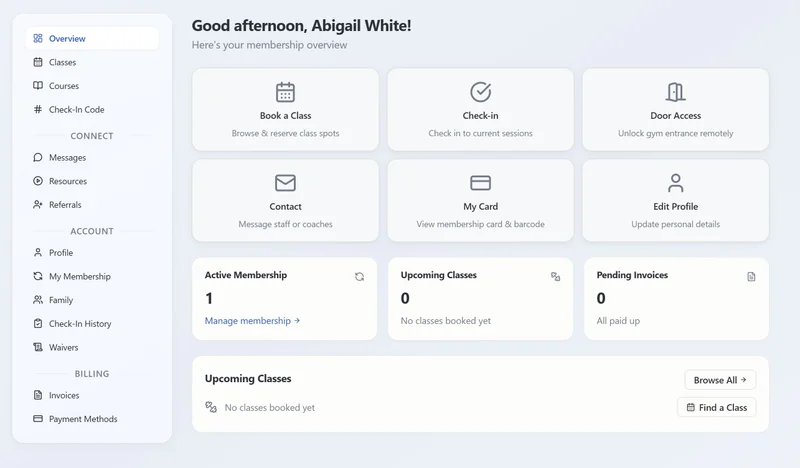
A 24/7 Digital Front Desk
Give your members the autonomy they crave. From billing to bookings, our portal handles the logistics so you can focus on the lifting.
Profile Management
Members update their own phone numbers, profile photos, emergency contacts, and communication preferences through a self-service portal, reducing front desk workload and keeping records current.
Update Payment Methods
Members add a credit or debit card with secure tokenization and set which card is the default for their payments. Removing a card is available when your gym turns it on.
Membership Overview
View current plan details, the recurring charge and how often it bills, and the next billing date. Members can pay early with Pay Now, and freeze or cancel when your gym allows it.
Invoice History
Browse every invoice with its date, amount, and status, view the line items, and download a PDF for tax filing, insurance reimbursement, or personal records.
Class Booking
Browse real-time class schedules, reserve spots instantly, join waitlists, and book personal training sessions, all from the member portal or mobile browser.
Sign Waivers
Members sign liability waivers and other documents from the portal, and the portal home screen reminds them when a document is waiting to be signed.
Family Accounts
Parents add kids and other family members from the Family page in the portal, and a family plan covers the household under one primary account holder.
Your Gym on Their Home Screen
Members install the portal as an app on iPhone or Android, straight from the browser. It opens full screen with your logo as the icon and your gym's name under it. There is no app store listing to wait on, so it works from day one.
Install From the Browser
Android and desktop browsers show an install button. iPhone members get a step-by-step walkthrough for Safari and Chrome. A setup page walks them through it before they even sign in.
Your Logo, Your Name
The app icon is generated from your logo, or you can upload a square icon. Set the home screen name and brand color in your logo settings.
Easy to Hand Out
Copy a setup link, print a QR code poster for the front desk, and include the install link in your welcome email and welcome text.
See Who Has It
A dashboard tile shows what share of your active members have installed the app. Members stay signed in after they install.
The member app is a web app installed from the browser, so it is not listed in the App Store or Google Play. Offline mode and push notifications are not available yet. See the install steps.
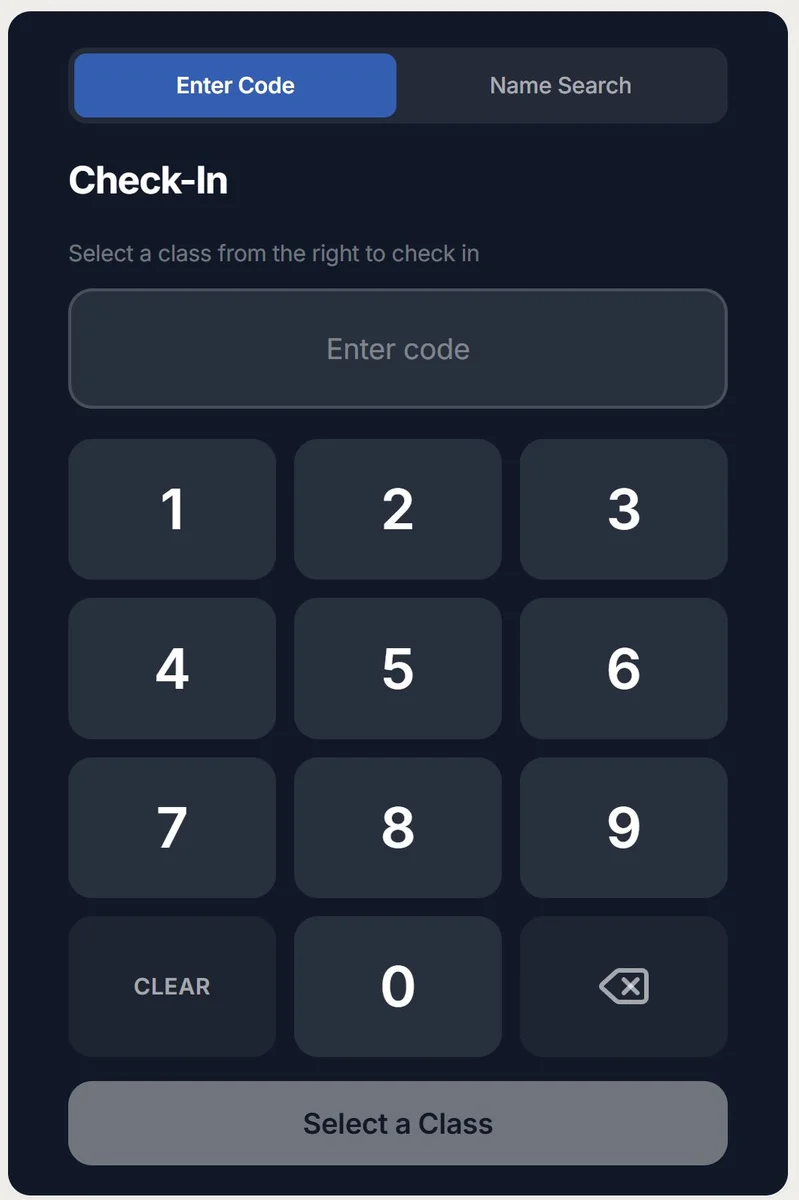
Check-in Before They Hit the Locker Room
- photo_camera
Photo at the Desk
The staff Check-In page shows each member's profile photo, so the front desk can confirm who is walking in.
- check_circle
Status Validation
By default, check-in requires an active membership, and you can also block check-in for overdue payments, a missing card on file, or an unsigned waiver.
- tablet
Runs on Any Tablet
The kiosk is a web page: open the kiosk link on any tablet or laptop browser at the front desk, no app install.
Powered by Pulse AI
On Growth and Pro, Pulse AI flags members who may need a follow-up and helps your team draft the message.
Member Health Scoring
Pulse AI scores each member's health from 0 to 100 using check-in trends, class booking frequency, and payment history. Spot members who are drifting before they cancel.
Drafted Follow-Ups
Pulse AI drafts a personalized email or text for a lead in your sales pipeline. Staff review and edit it before it goes out.
Modernize Your Member Experience
No credit card required. Free for unlimited members.